Lighting
Light Switches
 1
2
3
4
5
6
R
R
1
2
3
4
5
6
R
R
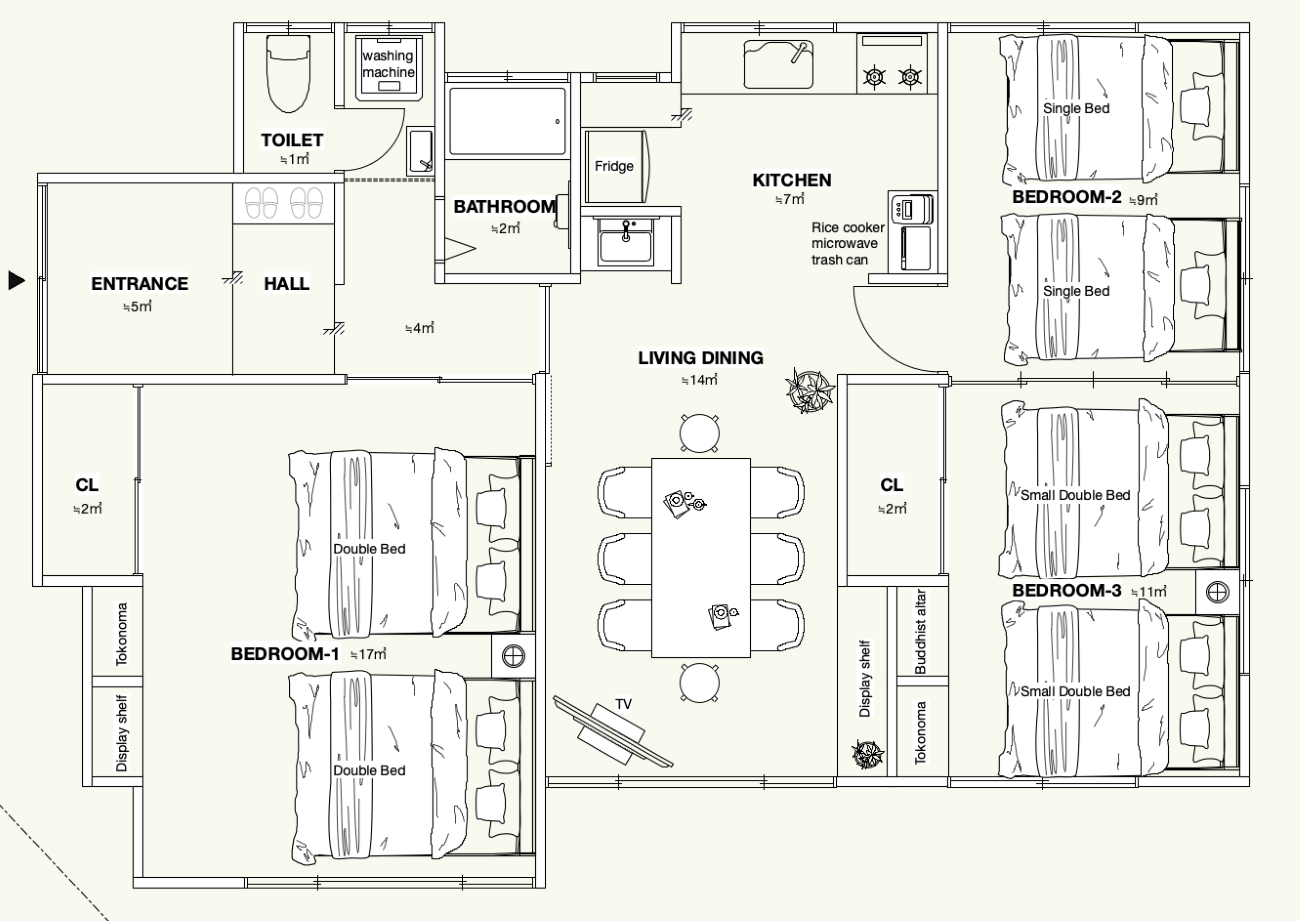
Switch locations (floor plan)
- 1Entrance & changing room …… wall in the entrance hall
- 2Toilet, bathroom & bath fan …… wall at the changing-room door
- 3Bedroom 1 …… wall at the room entrance
- 4Kitchen …… wall at the kitchen entrance
- 5Living-dining …… wall at the living-room entrance
- 6Kitchen sink light …… separate from the main kitchen light (4)
- RBedrooms 2 & 3 …… lighting remote control
Bedrooms 2 and 3 have no wall switches. Please use the lighting remote control placed in each room.
Air Conditioner
Air Conditioner (Remote)
 1
2
3
4
5
5
6
7
1
2
3
4
5
5
6
7
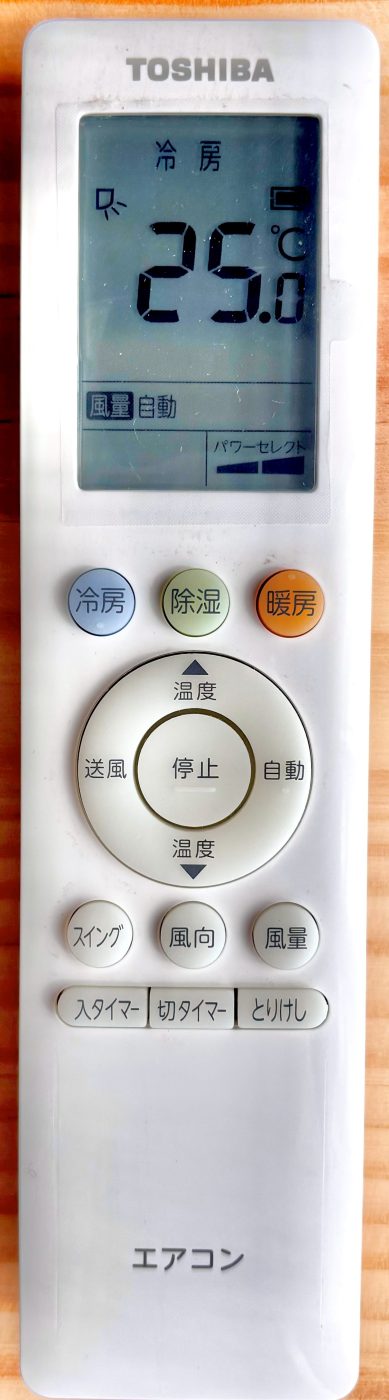
What the buttons do
- 1Cooling 冷房
- 2Dry / dehumidify 除湿
- 3Heating 暖房
- 4Stop 停止
- 5Temperature up / down (▲/▼)
- 6Air direction 風向
- 7Fan speed 風量
Press 1, 2 or 3 to start.
Sound Machine
If road noise bothers you
One button is all it takes
- 1The power button (⏻), top right …… just press this
- 2Volume buttons, left and right …… adjust how loud it is
The sound and the volume are already set for you. Please do not press the other buttons. They will change the settings.
Where it is: by the window, at the foot of the double bed in Main Bedroom ①.
Earplugs are also provided — please feel free to use them.
Hot Water & Bath
Hot Water & Bath
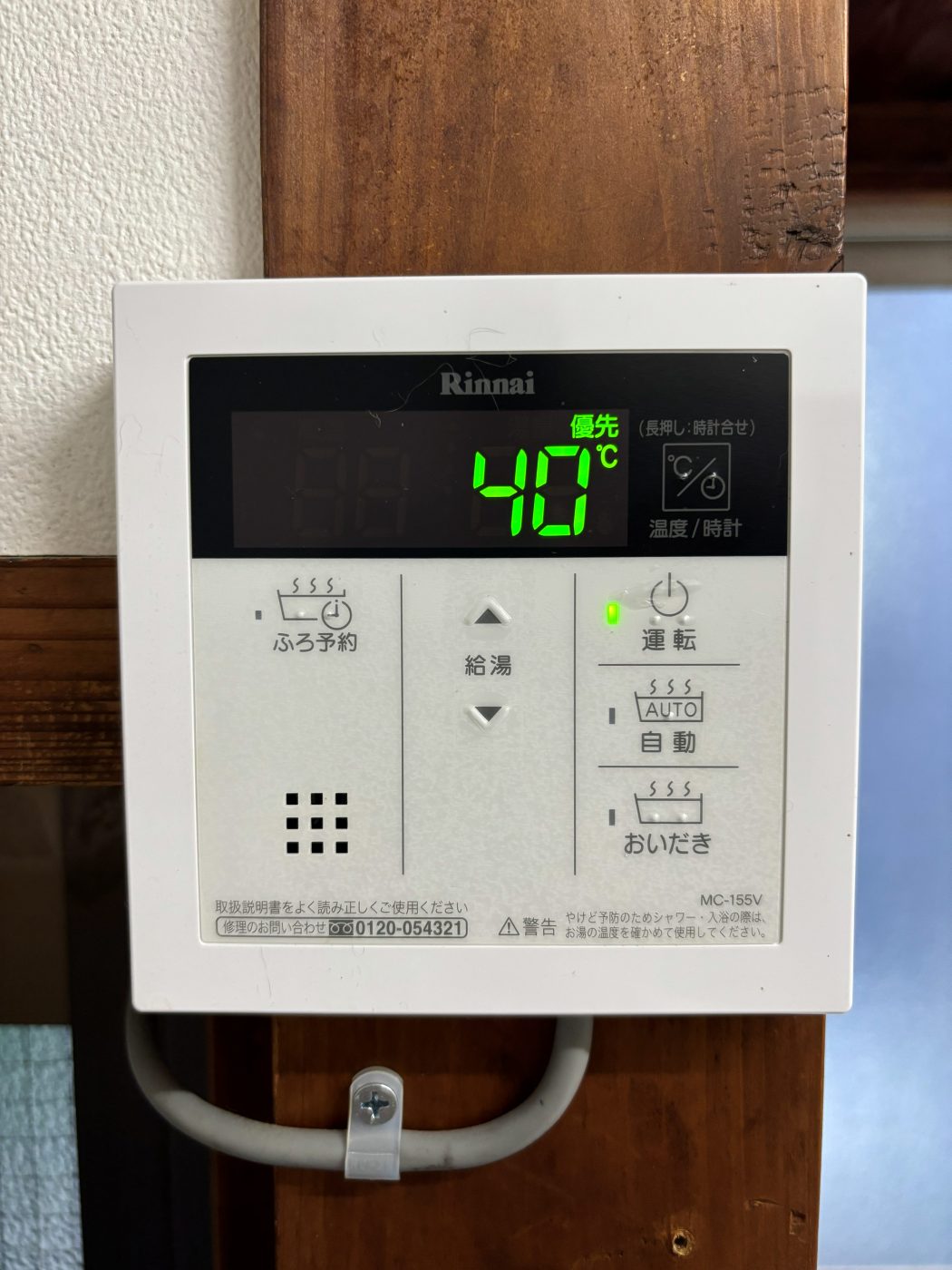
No hot water? First check that the power lamp ① is on.
 1
2
3
1
2
3
Panel by the kitchen
- 1Power on / off 運転
- 2Hot-water temperature ▲▼ 給湯
- 3Auto — fill the bathtub 自動
 1
2
3
4
5
6
1
2
3
4
5
6
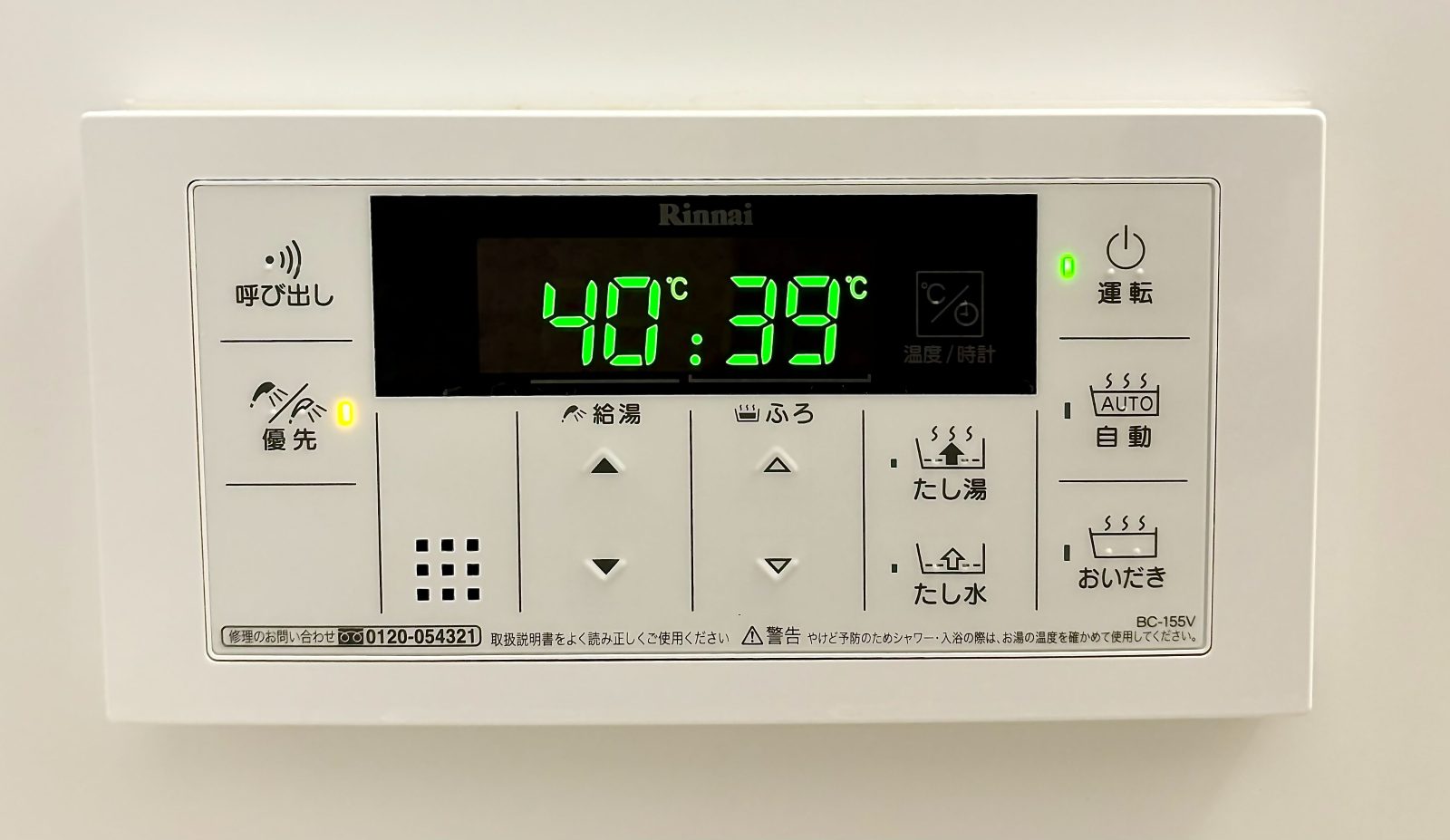
Panel in the bathroom
- 1Power on / off 運転
- 2Auto — fill the bathtub 自動
- 3Shower temperature ▲▼ 給湯
- 4Bathtub temperature △▽ ふろ
- 5Press first to change temperature 優先
- 6Reheat the bath water おいだき
Toilet
Toilet
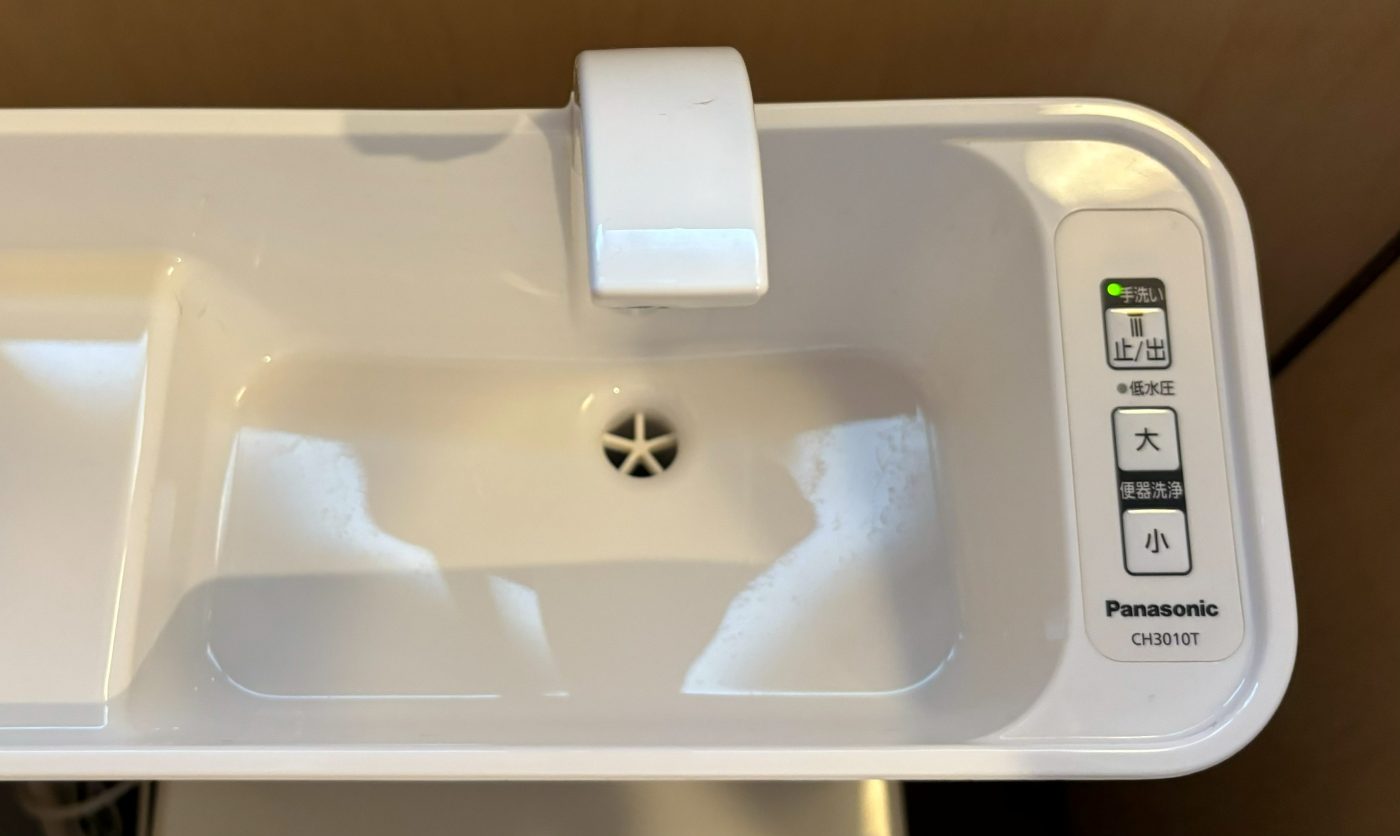 1
2
1
2
Flush buttons
- 1大 — full flush
- 2小 — light flush
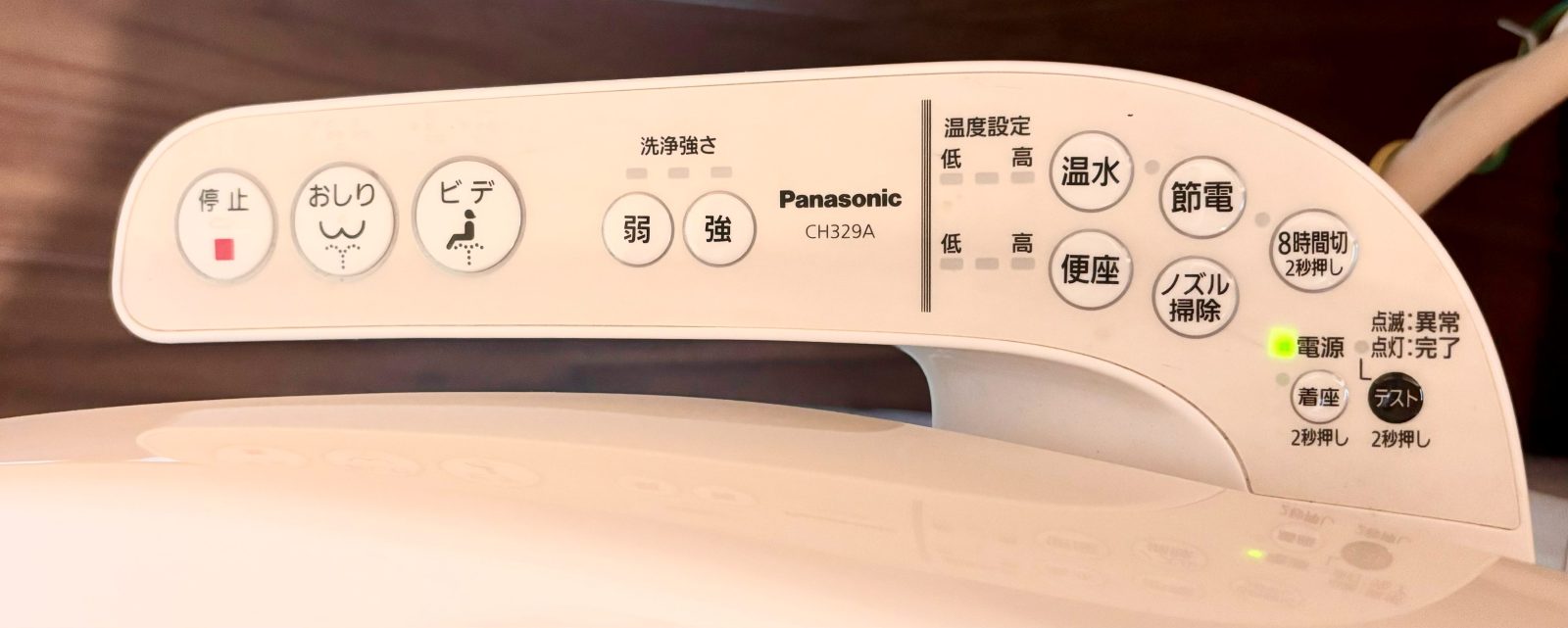 1
2
3
4
1
2
3
4
Bidet (washlet)
- 1Stop 停止
- 2Rear wash おしり
- 3Bidet ビデ
- 4Water pressure (weak / strong) 弱/強
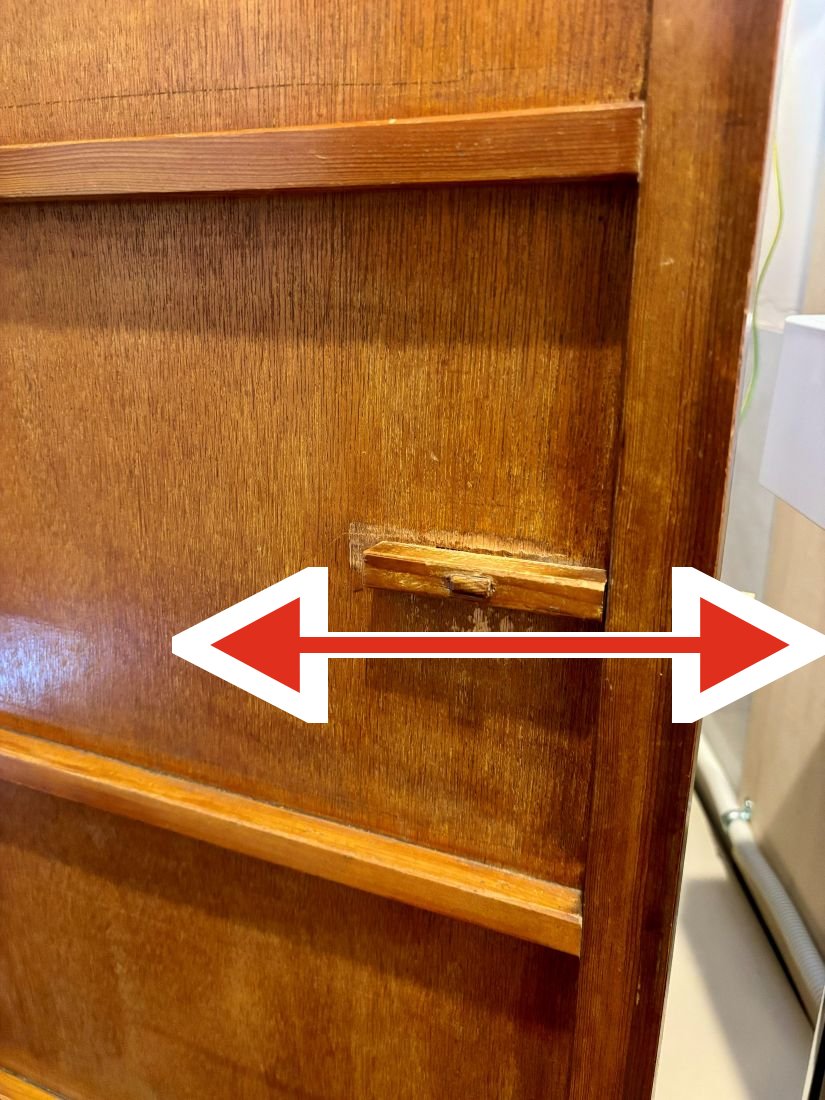
Door lock
Slide the small wooden piece left or right to lock and unlock the door.
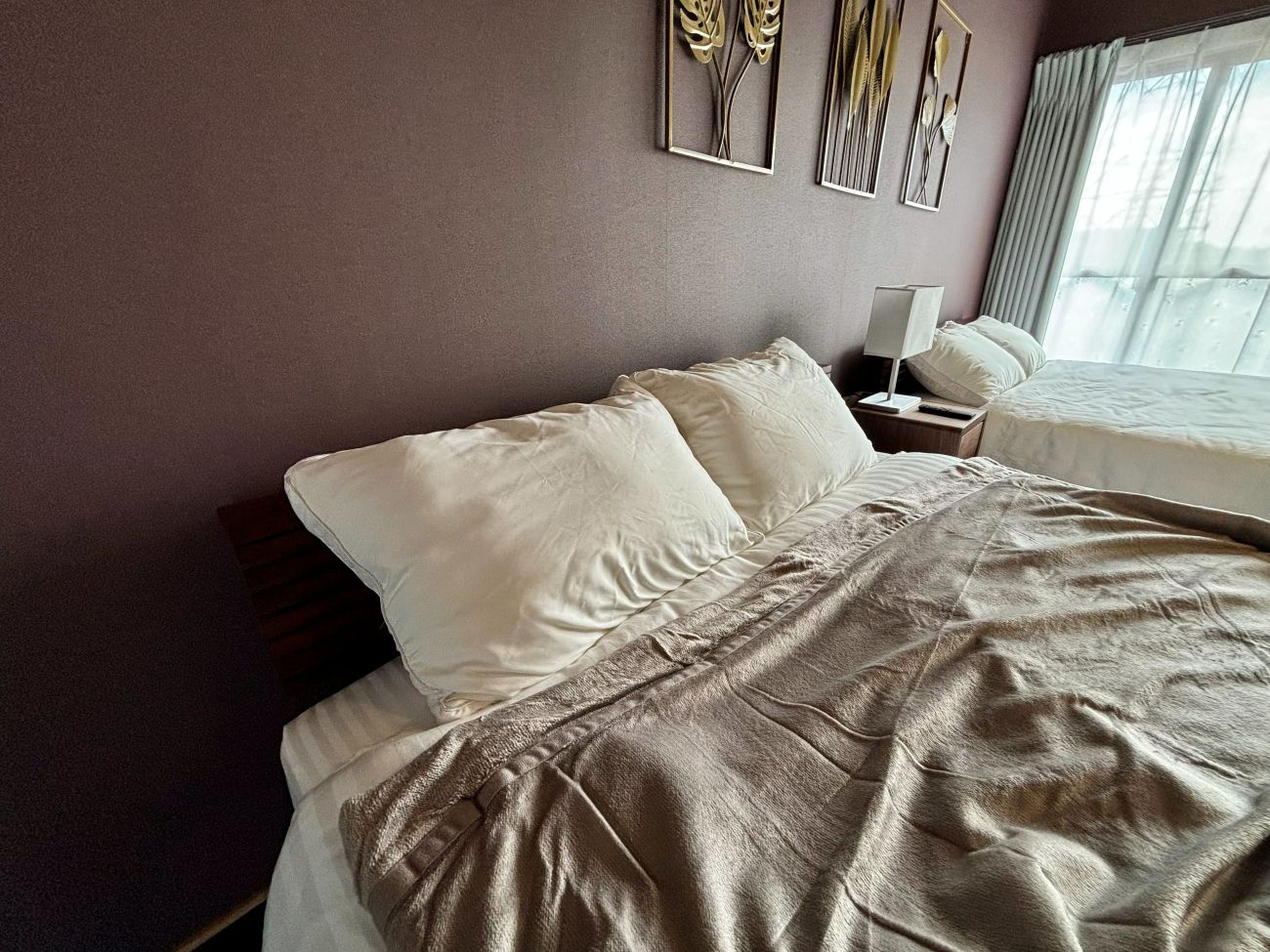
Feeling cold? Extra blankets
In the closet of Bedroom 1 (clear storage boxes).
Washing Machine
Washing Machine
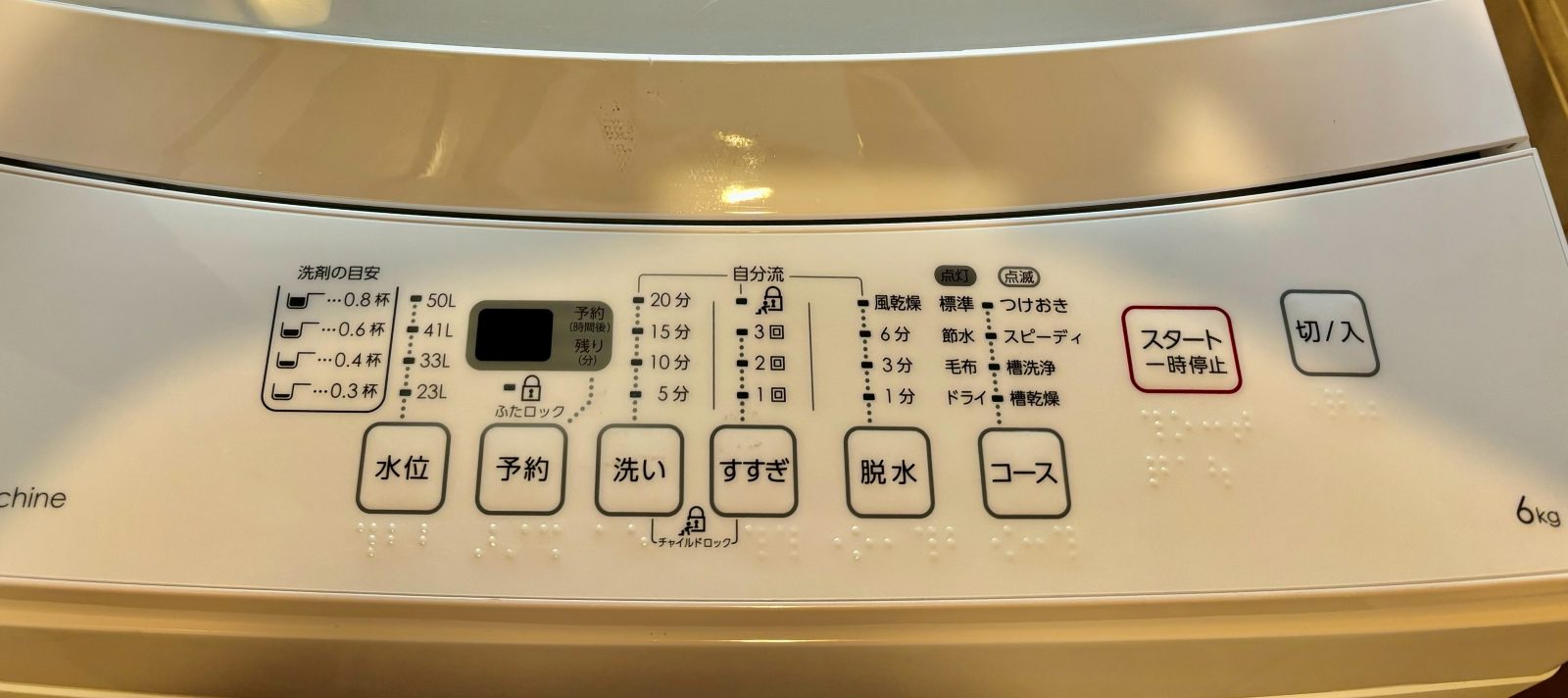 1
2
1
2
- 1Power on / off 切/入
- 2Start / pause — it runs automatically スタート
TV — Amazon Fire TV
How to Use the TV
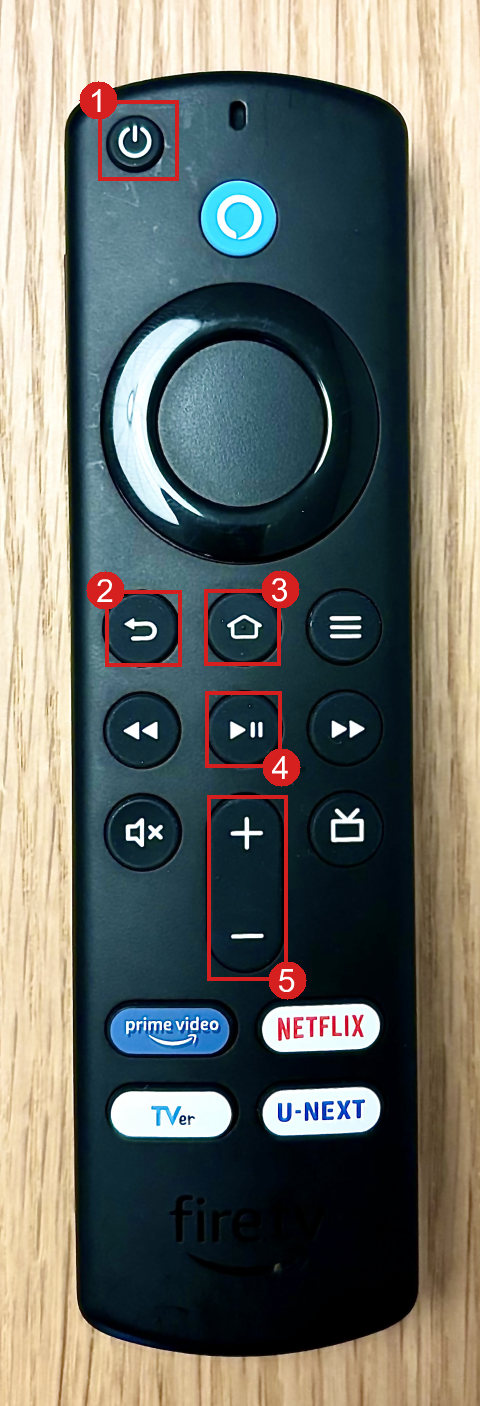
Remote control (Amazon Fire TV)
You mainly need the five buttons marked in red.
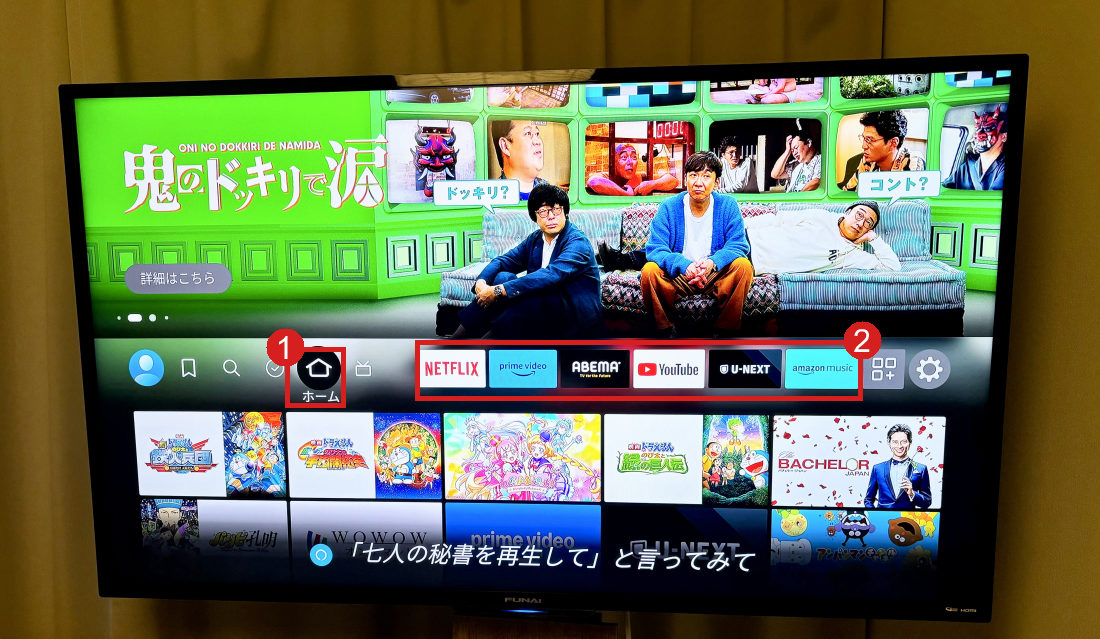
Choose an app on the home screen
① is the Home button position. Pick NETFLIX, prime video, YouTube, TVer, etc. from row ②.
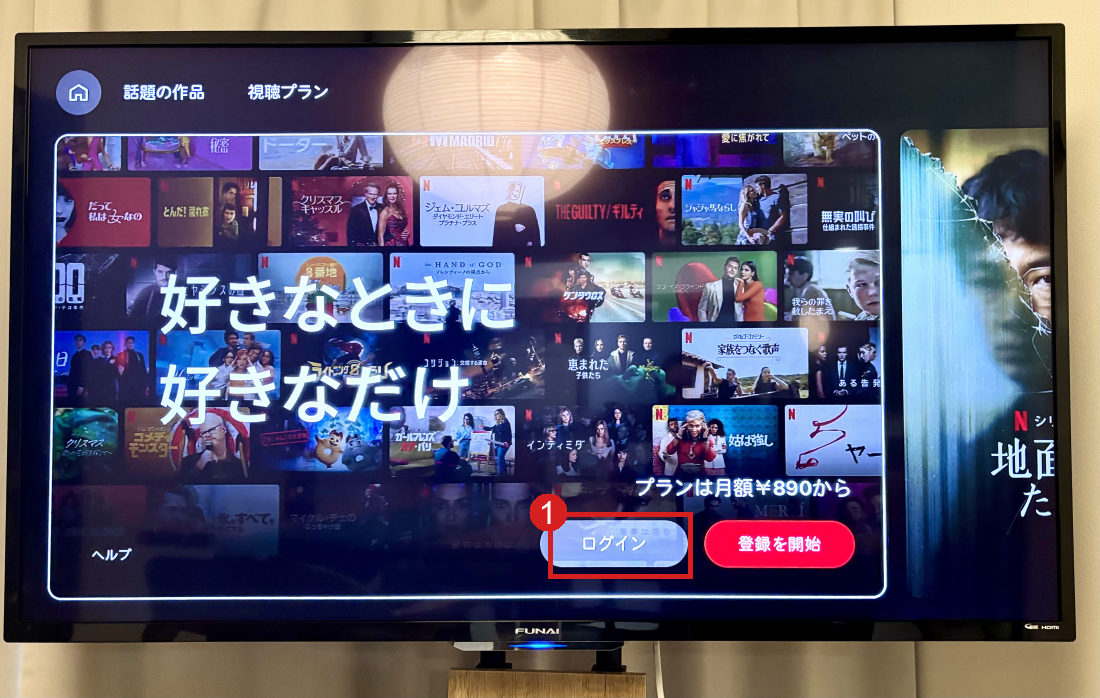
Log in to each app with YOUR own account
Select ① "Login" and sign in with your own account to watch. Please remember to log out before check-out.